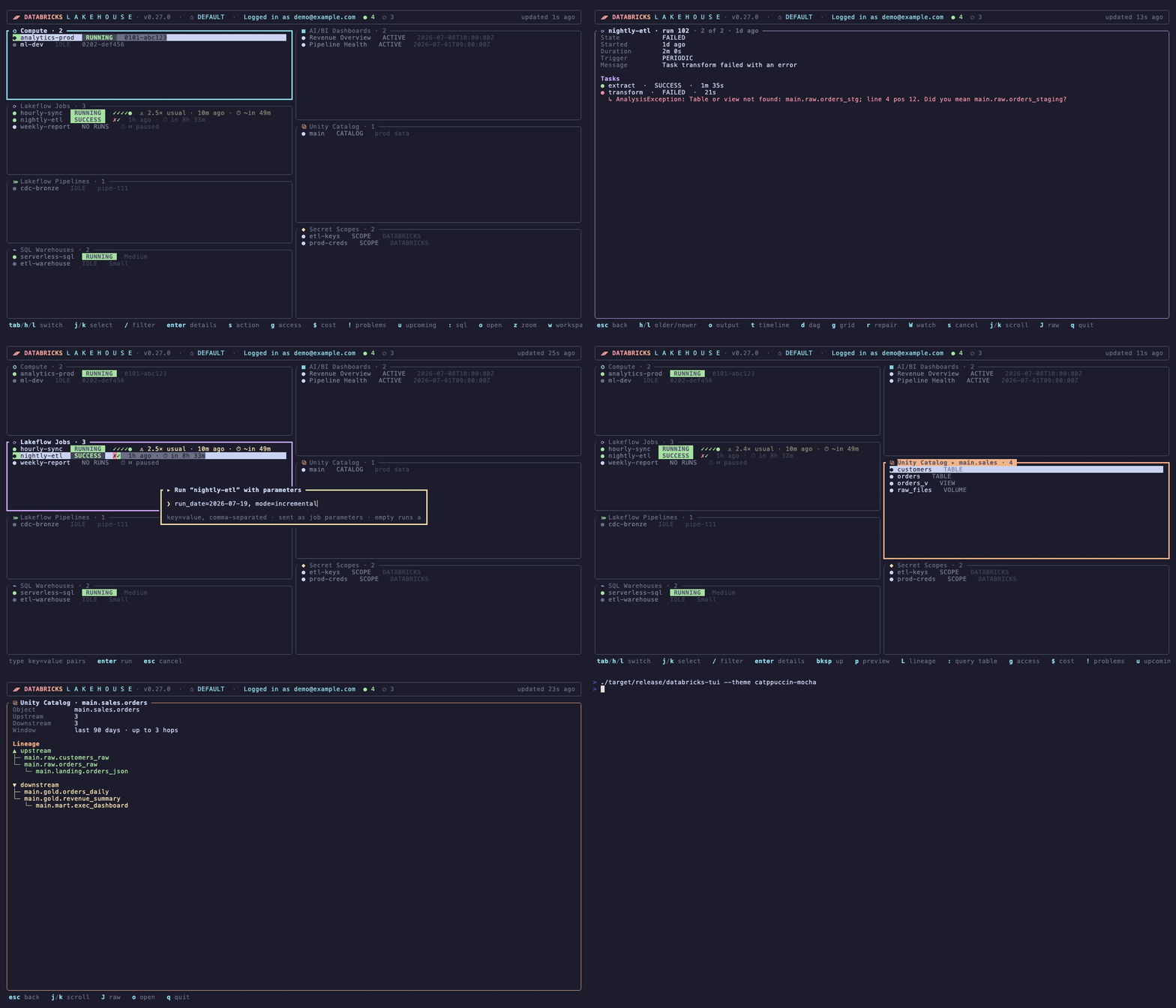
Everything you keep flipping browser tabs for, on one screen.
🧭
One dashboard for everything
Compute, Lakeflow jobs & pipelines, SQL warehouses, AI/BI dashboards and Unity Catalog — each pane populates independently, active work floated to the top.
🐞
Debug runs in the terminal
Drill into any run for per-task states and the actual error output. Full log tail (o), Gantt timeline (t), task DAG (d), and r repairs just the failed tasks.
🚨
Problems, everywhere at once
! lists everything currently failing — across every configured workspace — and rings the bell the moment a new failure appears between refreshes.
⚠️
Catch hung runs that look green
A live run past 1.5× its usual median gets an amber ⚠ 2.5× usual tag and a one-time bell. W watches any run and pings you when it finishes.
⌨️
SQL console for the whole lakehouse
Syntax-highlighted as you type, Tab-completes catalog/schema/table/column names from Unity Catalog, history search, $EDITOR for multi-line, CSV export.
🗂️
Unity Catalog & lineage
Drill catalogs → schemas → tables → volumes → files, preview sample rows, read the full schema, and follow a table's lineage 3 hops up and downstream as a tree.
💸
See where the money goes
14 days of DBU usage as stacked daily bars by SKU family, with list-price dollar estimates and a top-spenders table naming the jobs, clusters and warehouses behind it. Then c on any job or pipeline for what that one thing cost over the last week, month, quarter and year — each against the window before it, so a bill that quietly doubled shows up.
🎨
Yours to arrange
Hide and reorder panes, zoom any pane full-screen, 142 color themes — the classics plus all 63 US National Parks, searchable with t, dark and light kept apart — all persisted per profile. Non-blocking refresh, so the UI never freezes.